May 2026 Update

Presto Product Team
May 31, 2026
May was a big one! We shipped Microsoft Single Sign-On, added power-ups to the forms area, supercharged the credits experience, and packed in a whole lot of quality-of-life wins. Let’s get into it!
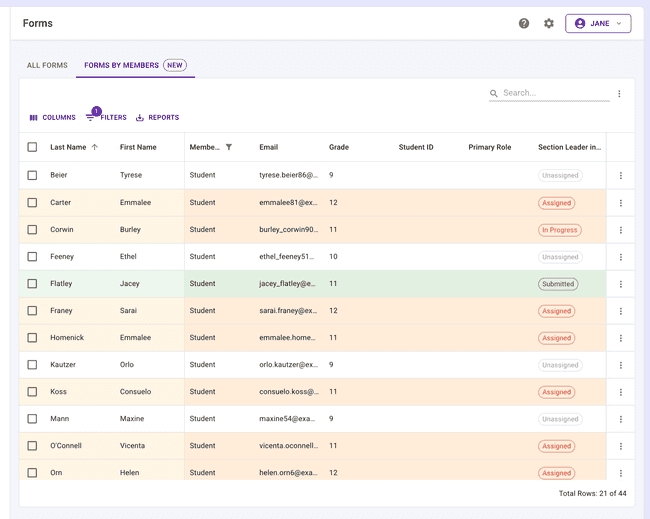
Form Status by Member Table
Tracking form completion just got a whole lot easier. A new Members by Form Status table shows exactly where each member stands — who’s submitted, who hasn’t, and who still needs a nudge. It even includes inventory checkout forms. Perfect for keeping tabs on responses before a deadline!
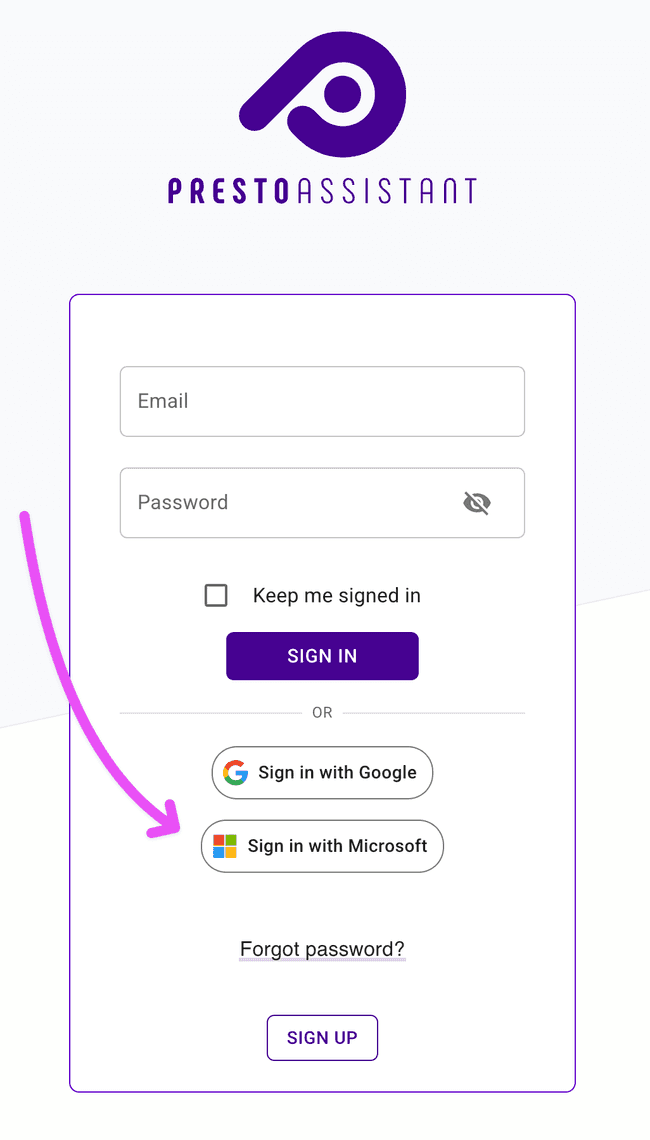
Sign In with Microsoft
Microsoft SSO has arrived! Directors and staff can now log in to Presto using their Microsoft credentials — no separate Presto password required. District admins can configure and enforce SSO settings at the organization level, making it easy to roll out a consistent sign-in experience across the whole team. One less login to manage, one more thing to smile about.
Admin Single Sign-On Settings
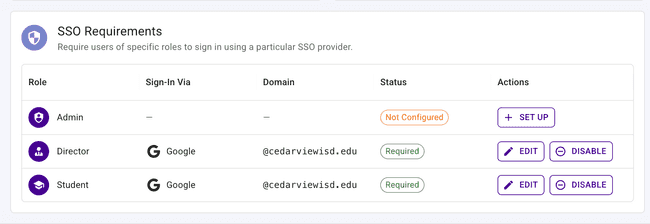
A new spot in the Admin Settings allows a quick way to enforce Single Sign-On (SSO) requirements. Choose which type of service is needed and which email domain your members use in their email address. Now it’s quick to require all students and/or staff to sign in with a certain type of account!
Credits: Import and Apply
Two big upgrades to the credits experience landed this month:
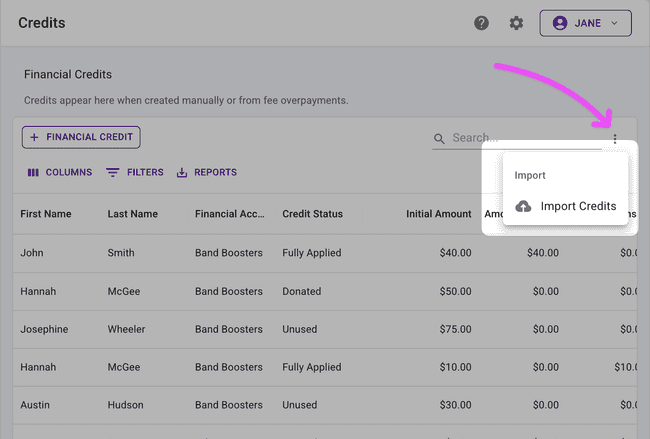
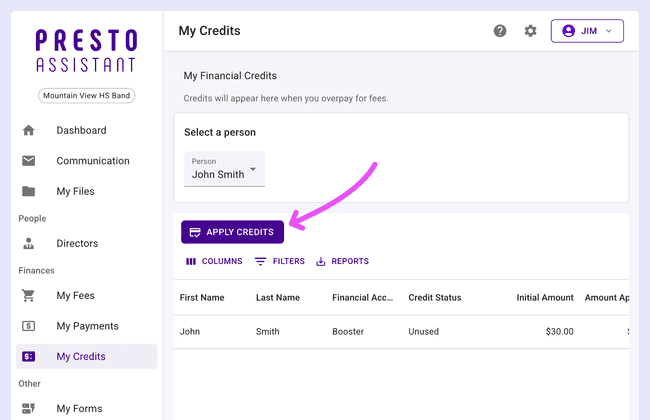
Import Credits — You can now import credits in bulk from a CSV file. Perfect for migrating balances, applying large-scale adjustments, or setting up credits for a new season — without going row by row.
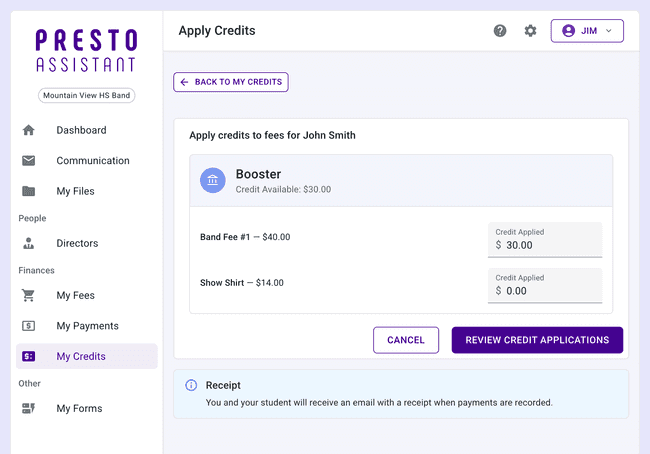
Parent Credit Application — Parents can now apply available credits to financial items directly from their own account. Less back-and-forth with directors, more self-serve flexibility for families.
Fee Show Page
Each fee now has its own dedicated detail page — a clean view with everything you need to know about that charge, all in one place. Pro tip: check the “history” section for important information. No more piecing things together from multiple tables!
Check In All Student Inventory at Once
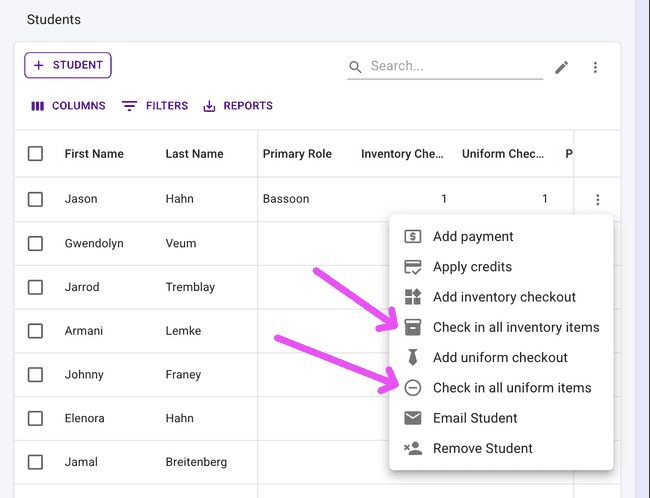
End of season? Just back from a trip? The new Check In All actions on each Student table row lets you return that student’s inventory or uniforms with a single click. What used to take minutes now takes seconds — go enjoy the weekend!
Other Improvements
Some more updates worth knowing about:
- Delete files — Files can now be deleted from the Document Hub. Tidy up uploaded documents whenever you need to.
- Locker number column — A Locker Number column is now available in the table when completing an Inventory Audit for quick reference.
- Improved scheduled email UX — The scheduled emails experience has been polished with a cleaner layout and clearer controls.
- Student ID on payments — Student IDs now appear on payment records, making it easier to cross-reference with your student information system.
- View member from form responses — Click any row in the Form Responses table to navigate directly to that member’s profile.
- Primary Spoken language in CSV export — The student CSV export now includes the primary spoken language field.
- Clearer form error messages — Form submission errors are now clearer and easier to act on.
Get in Touch
What a month! As always, if you have questions or feedback, reach out to Presto Support at support@presto-assistant.com.
Happy teaching — summer is almost here!