March-April 2025 Update

Presto Product Team
April 30, 2025
Spring is here, and so are some exciting new features! The March-April 2025 update brings ClassLink rostering, smarter group management, a fresh new look, email formatting improvements, better uniform tracking, purchase orders, estimates, and more. Let’s dig in!
ClassLink Rostering
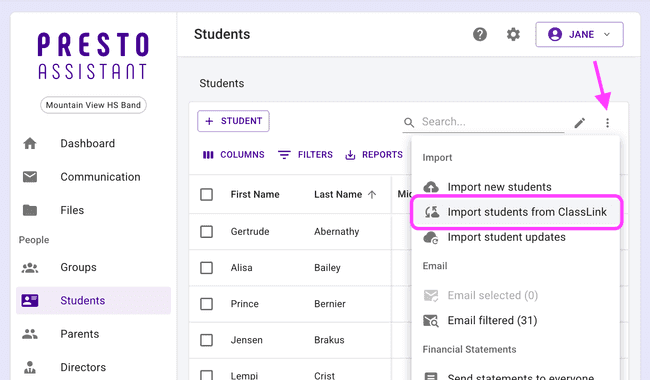
Building on ClassLink SSO, directors and district admins can now take advantage of ClassLink Rostering to bring student data directly into Presto Assistant. No more manual entry — ClassLink handles the heavy lifting so you can focus on what matters most: your students!
When rostering is enabled, importing students will require a ClassLink sign-in, allowing you to start bringing your data into Presto. When you import, student details like grade level, phone number, and parent info are pulled in from ClassLink.
These support articles will help you get started with ClassLink Rostering:
Primary and Secondary Groups
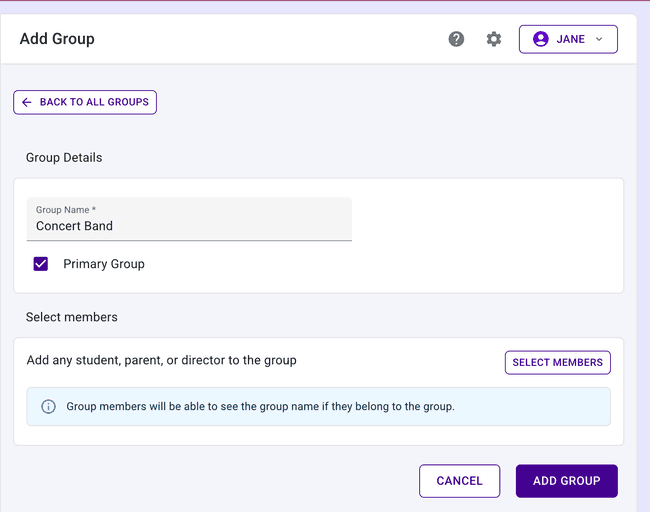
You asked, we delivered! Groups in Presto Assistant can now be designated as Primary or Secondary. This makes it easy to distinguish your main ensembles from auxiliary groups.
- Mark any group as Primary or Secondary right from the group settings
- Filter your students table by Primary or Secondary group membership
- The People Picker respects these designations so you can target the right students quickly
Delete Payments
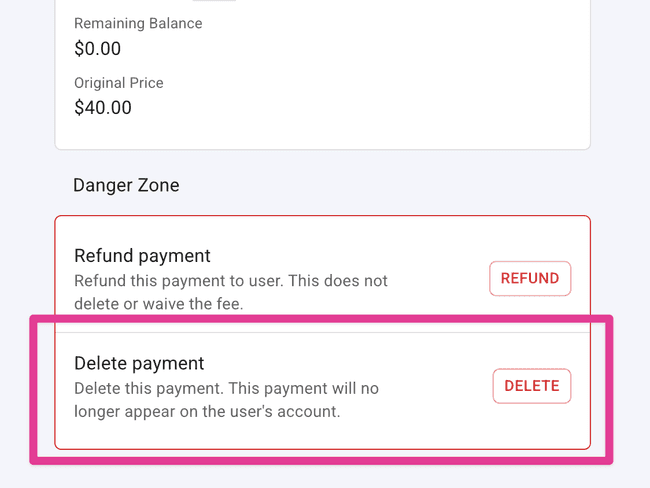
Sometimes mistakes happen — and now you can fix them! Directors with the appropriate permission can delete payments in Presto Assistant. When a payment is deleted, any associated credits and transfers are cleaned up automatically, keeping your financial records accurate.
Look for the delete option in the Danger Zone on the payment details page.
Credits Shown on Fees Table
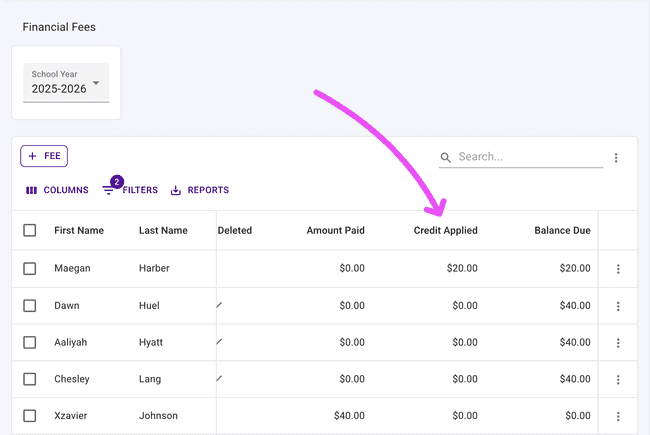
It’s now easier to see the full financial picture at a glance. The fees table now shows credits applied alongside other payment details, so you always know exactly how much has been credited toward each fee.
Fresh New Look
We gave Presto Assistant a subtle but satisfying visual refresh! You’ll notice softer, rounder corners throughout the app — on the side navigation, main content areas, and more. It’s a small change that makes a big difference in how polished everything feels. ✨
Email Composer Formatting
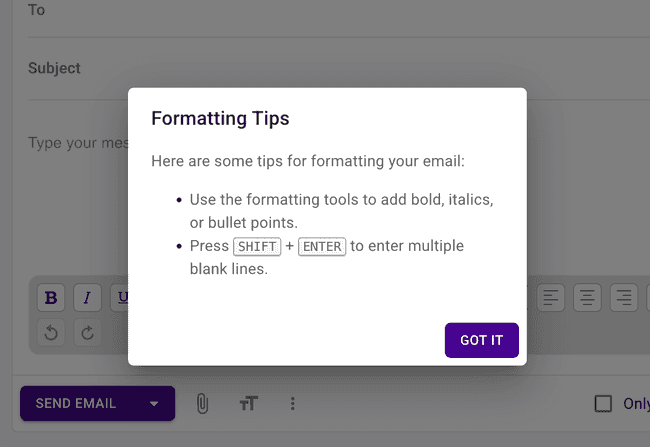
Composing emails in Presto Assistant is so powerful! The email composer includes a formatting toolbar with options to bold, italicize, add lists, and more. Not sure what each button does? We added a formatting tips dialog to walk you through the options.
Express yourself! Your next email to parents and students can look as polished as you want it to.
Uniforms: Manufacturer Tracking & Checkout History
Two great uniform improvements landed this month:
-
Manufacturer field — You can now record the manufacturer for each uniform. This makes it easy to track vendor information and reorder from the right source. The manufacturer is visible on the uniform details page, in the uniforms table, and in the uniform form.
-
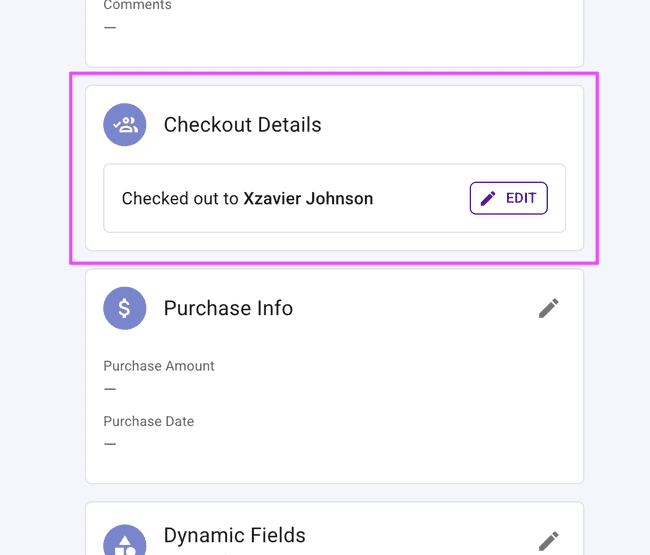
Checkout details — The uniform details shows the current checkout information, now located alongside the other information instead of floating along the bottom.
Purchase Orders
District admins can now upload purchase orders directly in Presto Assistant! Simply provide your PO number, attach the file (JPEG or PNG supported), and submit. Purchase orders flow through an approval process, and once approved, the associated licenses are automatically created — no extra steps required.
Estimates
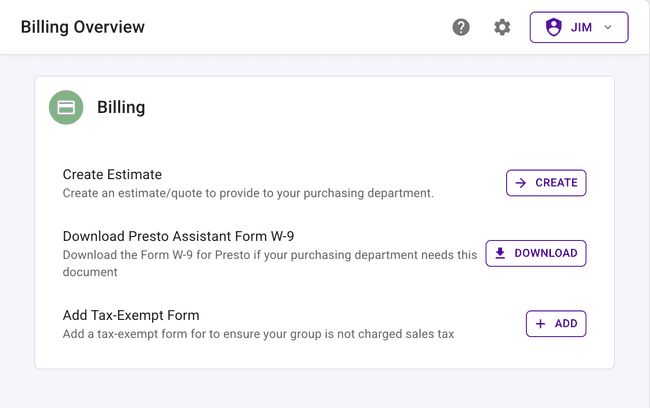
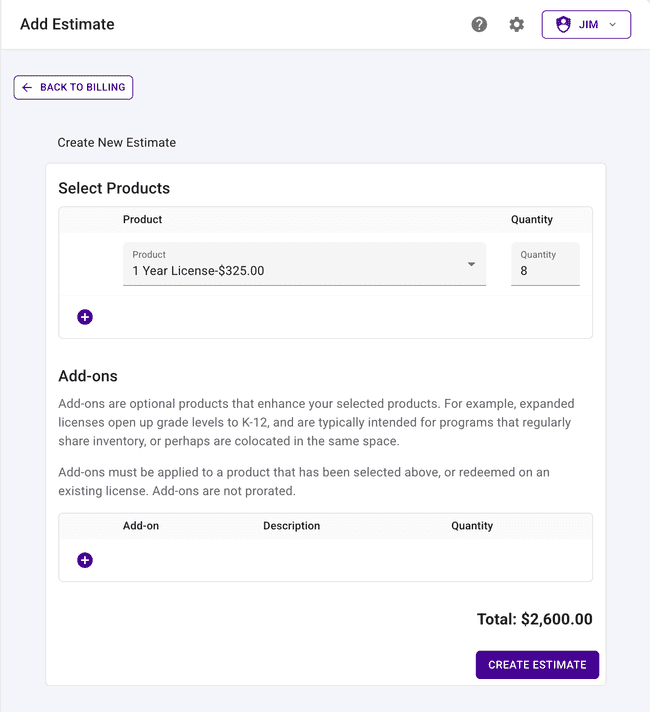
Planning a purchase? District admins can now create and review estimates right inside Presto Assistant. Once an estimate is reviewed and approved, the process moves forward seamlessly.
Admin users can view and approve estimates, with a clear review form and confirmation dialog to make sure everything looks right before signing off.
See the entire flow for new estimates and invoices in this support article: Purchase a Presto License via Estimate and Invoice
View and Download Receipts
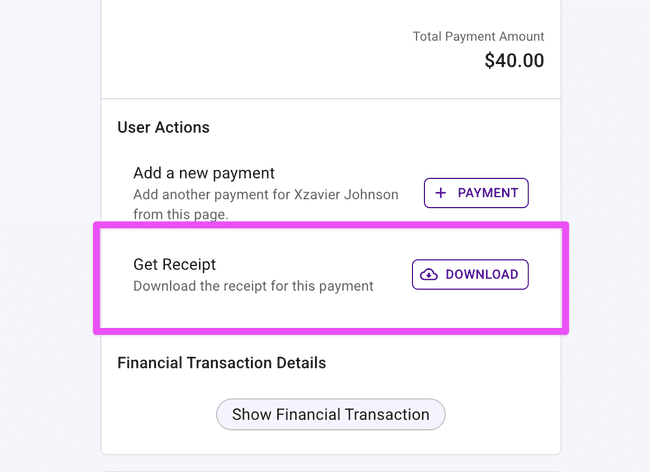
Tracking down payment receipts is now a breeze! The updated receipts view lets you browse and download receipts with descriptive filenames, making it easy to stay organized and find what you need when you need it.
Organization Import for District Admins
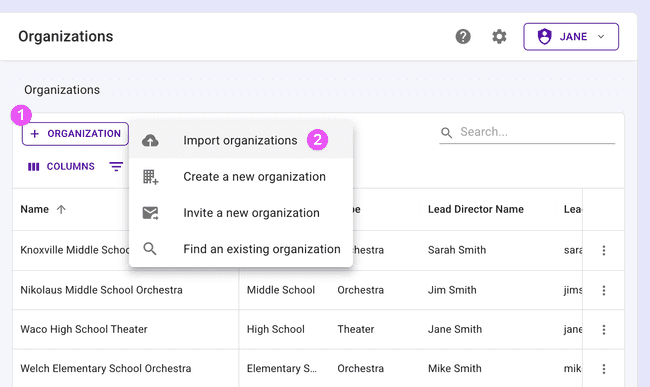
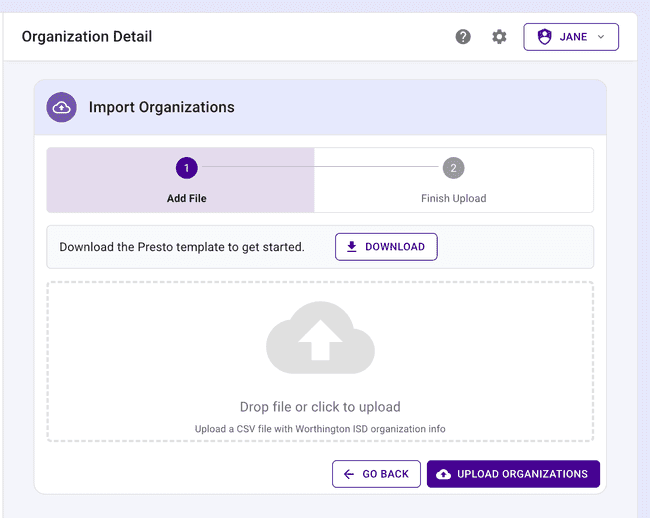
District Administrators can now import organizations via CSV, making it easy to bulk-create multiple organizations at once. When organizations are imported, welcome emails are automatically sent out. Onboarding a whole district just got a lot faster!
Get in Touch
We hope these updates make your spring semester a little smoother! As always, if you have questions or feedback, reach out to Presto Support at support@presto-assistant.com.
Happy teaching!