May-June 2025 Update

Presto Product Team
June 30, 2025
Summer is here, and we’ve been busy making Presto Assistant even better! The May-June 2025 update is packed with time-saving bulk actions, smarter financial tools, student transfer support, and a brand-new vendor marketplace — plus a whole lot more. Let’s dive in!
Bulk Actions for Inventory, Uniforms & Library
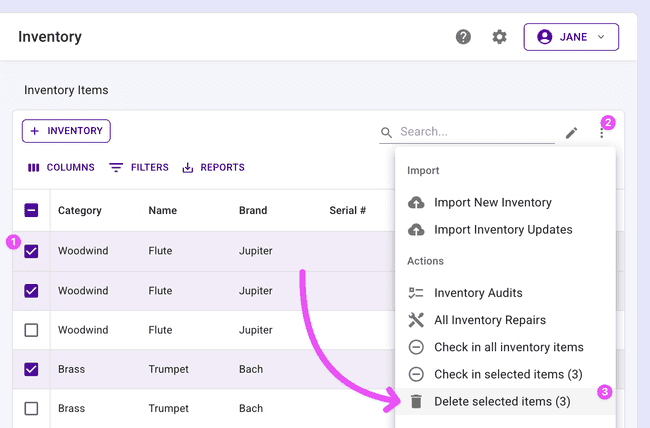
We heard you loud and clear — managing large collections one item at a time is no fun. Now you can take action on multiple items at once!
- Bulk delete inventory items, uniforms, or library items in a single sweep
- Bulk check in selected inventory items right from the table
Select the items you need, pick your action, and you’re done. No more clicking through endless rows!
Duplicate Forms
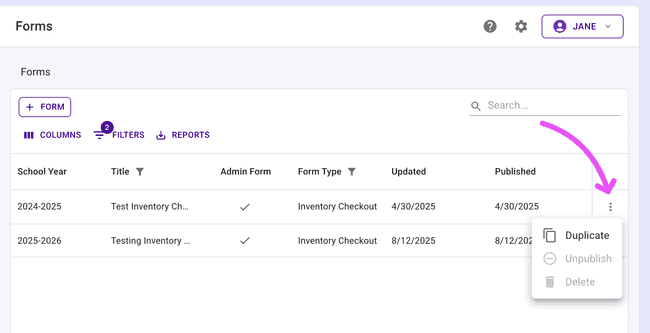
Stop starting from scratch every school year! You can now duplicate inventory checkout forms, carrying over all your carefully crafted fields and settings in one click. A new school year filter has also been added to the forms table so you can easily find forms by year.
Transfer Students
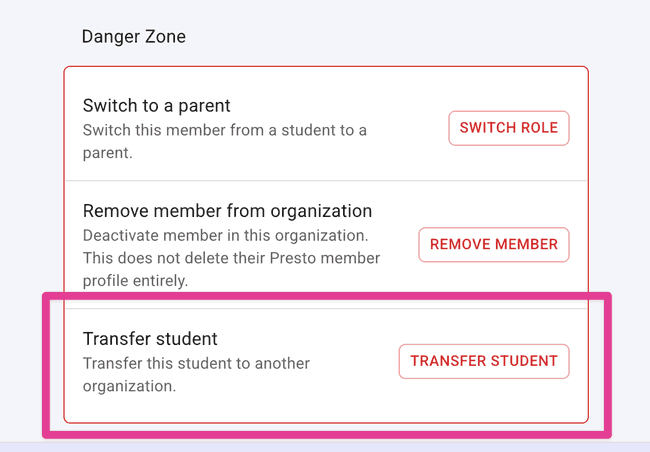
Students change schools, and now Presto moves with them. Directors can transfer a student to another organization directly from the student’s edit page — including their roles and sibling relationships. The receiving organization gets everything they need to pick up right where things left off.
Note: transferring only works between the same type of organizations within the same district. For example, band students can only be transferred to another band program within the same district.
Inventory Repairs Overview
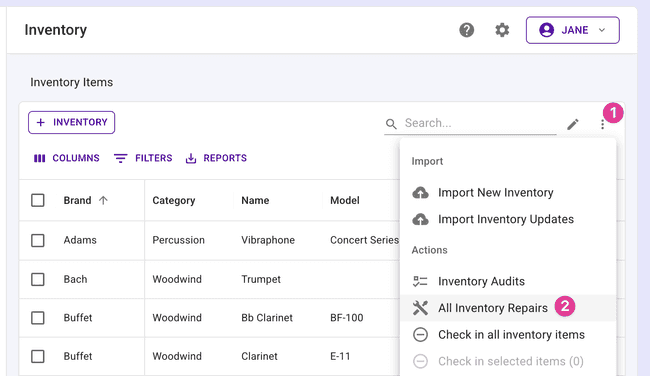
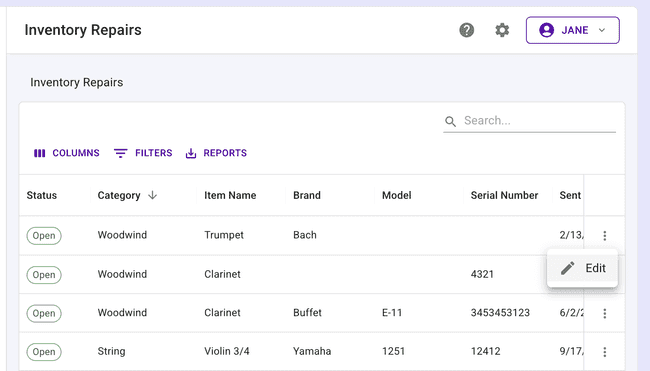
District admins and directors can now view all inventory repairs for their organization in one place. The new repairs table gives you a complete picture of what’s being repaired, with item details right alongside the repair records. Access it anytime from the inventory section’s more actions menu.
Financial Statements to Secondary Emails
Got parents who use a second email address? Now they’ll actually get their financial statements! Presto Assistant will send financial statements to secondary email addresses when available. When composing your emails, you’ll see a helpful alert reminding you that statements will go to both primary and secondary addresses on file.
License Issue Notifications
When a Presto license is issued by our team or the system, the right people are now automatically notified by email. All Admin users for your Admin Portal will receive the email notification. No more wondering if the license went through — you’ll know right away.
Tax-Exempt Form Required for Purchase Order Approval
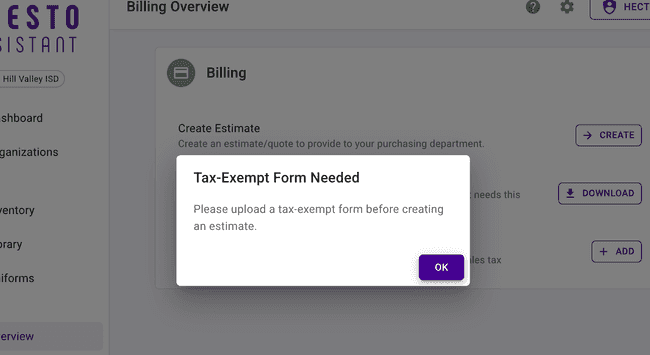
District admins: before a purchase order can be approved, your district must have a tax-exempt form on file. This keeps your purchasing process compliant and consistent. Presto will let you know if something is missing before you create an estimate.
Getting Started for New Organizations
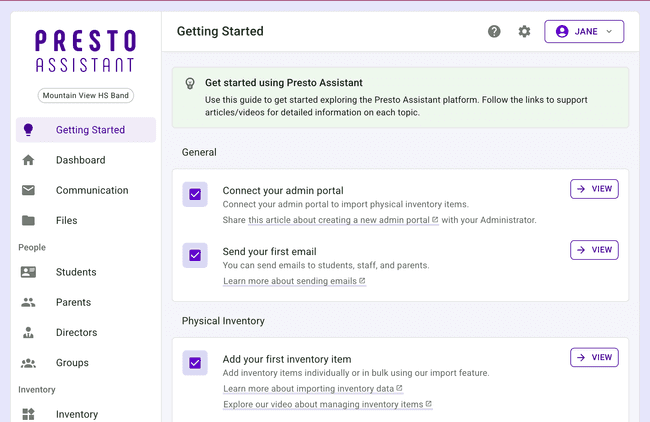
New organizations and free trials will now see the “Getting Started” resources link in the app for their first 45 days. It’s the perfect guide to help new directors hit the ground running!
Reminder: you can always get back to the Getting Started page from your Profile settings.
Get in Touch
We hope these updates make your summer planning a breeze! As always, if you have questions or feedback, reach out to Presto Support at support@presto-assistant.com.
Happy teaching!