July-August 2025 Update

Presto Product Team
August 31, 2025
Summer is in full swing, and we’ve been cooking up financial workflow improvements and much more! The July-August 2025 update brings admin dashboard metrics, invoicing support, estimate PDFs, uniform checkout reports, and a whole lot more. Let’s dig in!
Presto Blog
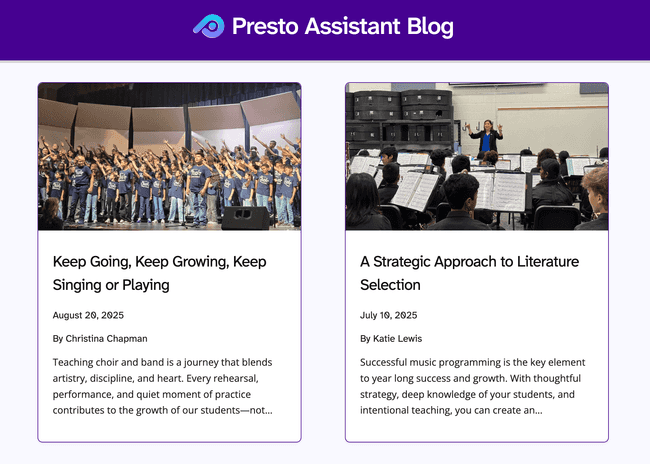
Follow our monthly blog posts for expert tips and tricks, practical advice, and inspiration from teachers and administrators. We love learning from our contributors and sharing their stories with you. Here’s what we published this summer:
- July 2025 — A Strategic Approach to Literature Selection
- August 2025 — Keep Going, Keep Growing, Keep Singing or Playing
Want to contribute an article? Get in touch…we’re happy to chat!
Purchase New Licenses With Ease
When purchasing licenses, you can now convert an estimate into an invoice once it’s approved — and then pay directly inside Presto! District admins can manage the full purchase lifecycle without ever leaving the Presto Assistant web app.
Here’s what’s new in the billing workflow:
- Convert estimates to invoices — turn an approved estimate into a formal invoice with one action
- Pay for your invoice — use a credit card to purchase directly inside Presto
- Purchase orders on estimates — attach a PO to an estimate to keep your paperwork in order
- Download estimate PDFs — grab a PDF copy of any estimate right from the estimate details page
Admin Financial Items
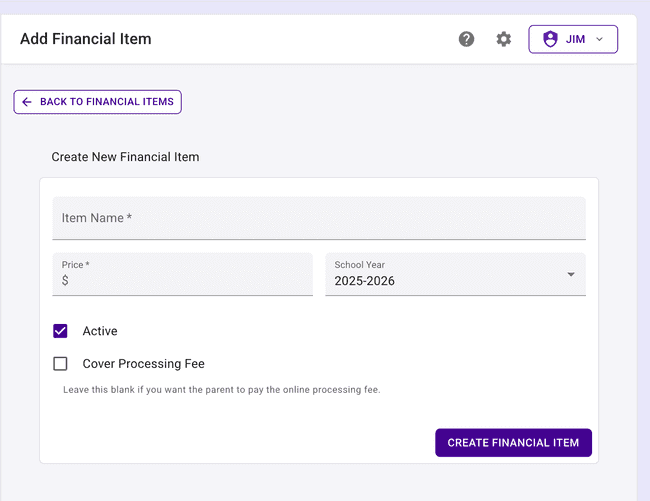
Some districts need to create fees that apply to all students. The new Admin Financial Item makes it easy to create an item that will show up for all directors to assign as student fees as needed. The price of the Admin Financial Item is set by the Admin side, not editable by organization directors.
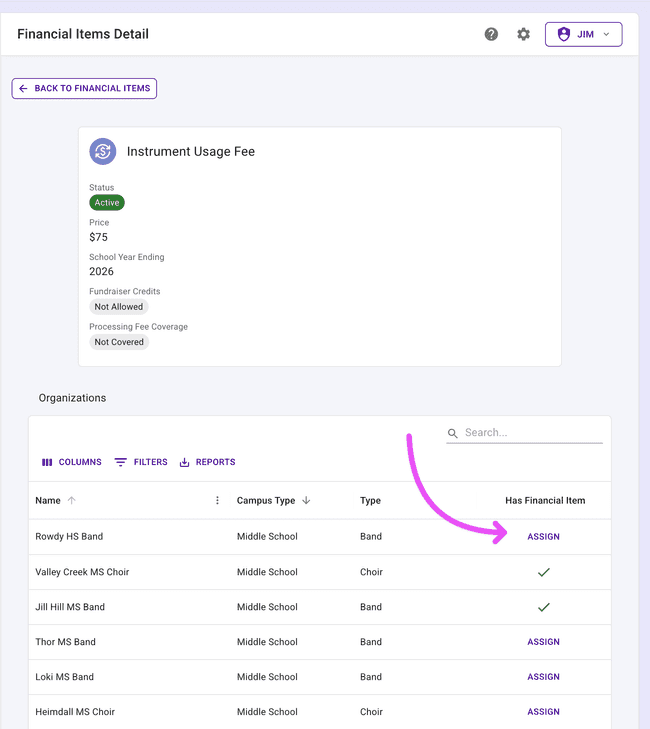
After creating the Financial Item, view the details page for the item. You can assign it to any organization that will need to use it. Now you’re set up to charge the student the same fee across all organizations that need that fee!
Admin Import All RevTrak Accounts
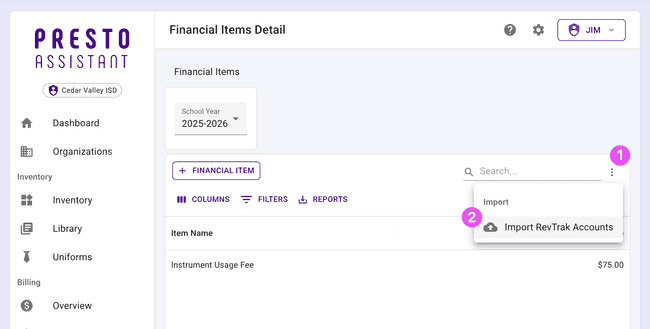
If you are using RevTrak for your payment processor in Presto Assistant, life just got easier! When setting up your RevTrak accounts, you can import all accounts at once. Find this new feature on the Admin Financial Items page, in the top-right of the table. Another quick win in Presto — back to teaching!
Support Multiple Payment Providers
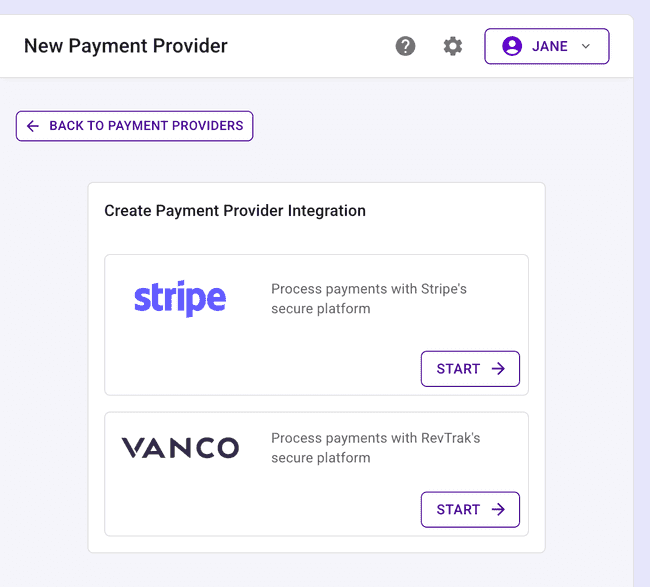
Add as many different Stripe and RevTrak payment providers as you need. Connect them to different Financial Accounts. With Presto Assistant, it’s easier than ever to keep the money flowing through to the correct accounts.
Uniform Checkout Reports
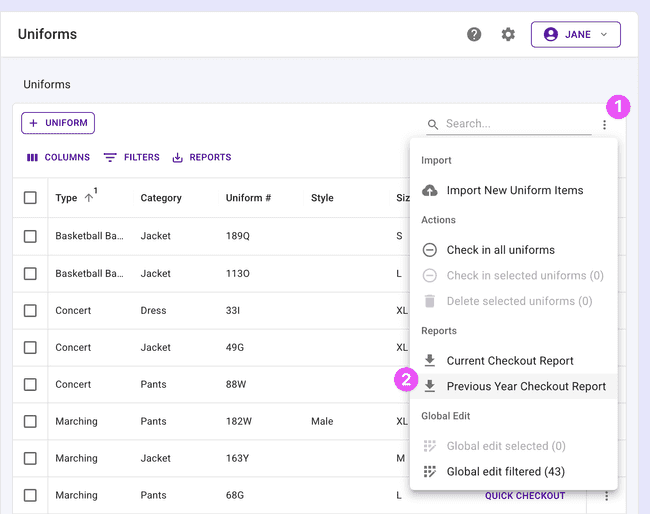
Need a record of who had what uniform last year? Now you can generate a uniform checkout report for a previous school year — perfect for audits, planning, or just knowing where everything ended up at the end of the season.
Import Inventory Updates
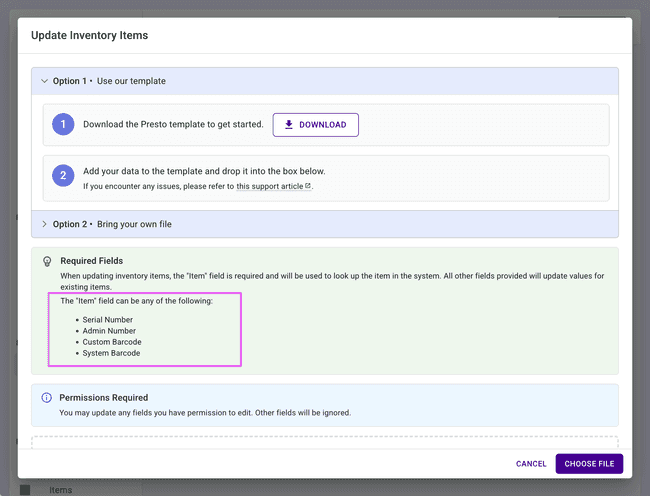
Updating large amounts of inventory data just got easier. You can now import updates to existing inventory items in bulk via CSV, saving you from editing rows one by one. Use this when you need to make more changes than “Edit mode” or “Global Edit” will allow.
Admin Portals
You may notice that “Districts” has been renamed to Admin Portals throughout the web app. This better reflects how the feature is used across different types of organizations, not just school districts. Everything works the same — it just has a cleaner name!
Admin Dashboard Metrics
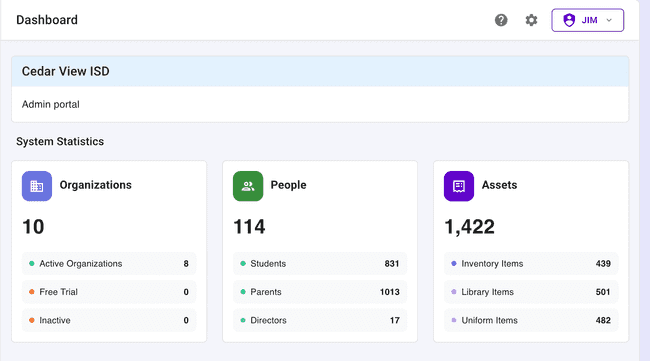
Shown above, district admins now have access to a new metrics dashboard with key data about the organizations in their Admin Portal. Get a birds-eye view of activity across your programs without having to dig through individual org pages.
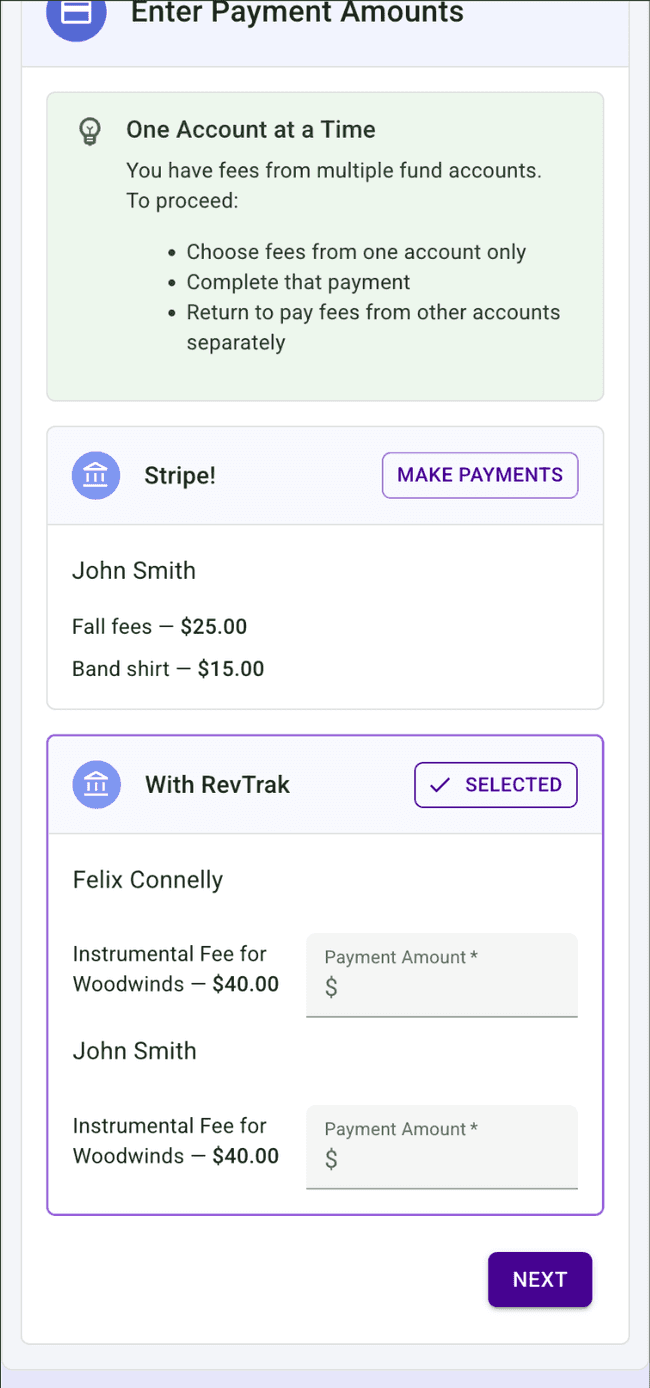
Parent Payment View with Multiple Accounts
Parents and guardians can now see and manage payments across all financial accounts in one view. Since each Financial Account represents a real bank account, payments can only be made for a single account at a time. Now it’s much easier to see all payments that can be made together for one account.
Student ID in Financial Fees Table
The financial fees table now includes a Student ID column, making it easy to cross-reference fees with your own records or export data that matches your district’s student information system.
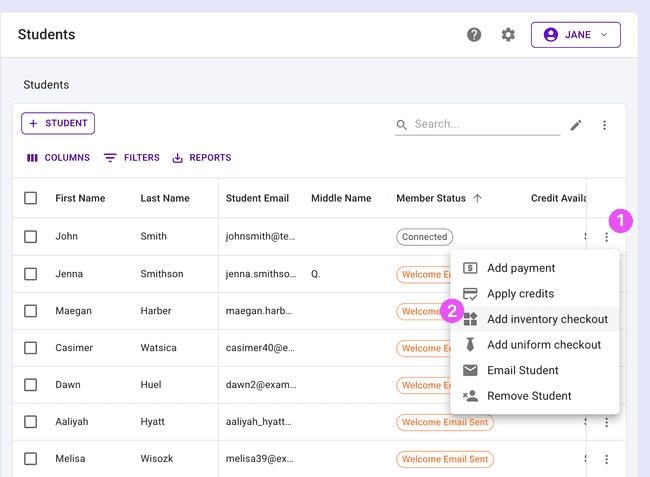
Inventory Checkout from the Students Table
You can now check out inventory to a student directly from the student row actions in the people table — no need to navigate into the student’s full profile first. A small change that saves a lot of clicks!
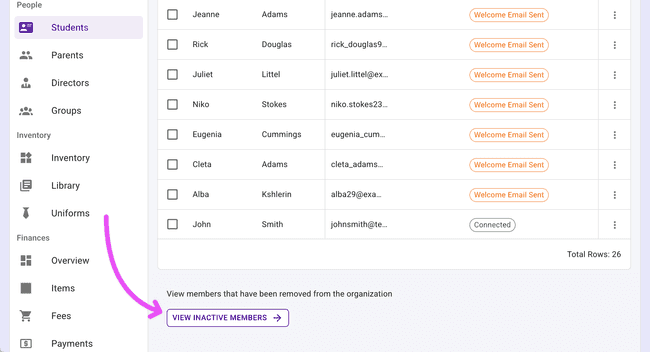
Smarter Default Filters for Inactive Members
The inactive members table now comes with sensible default filters already applied when arriving from the students or parents side. This helps you always see the most relevant view when you first land on the page. Less setup, more doing.
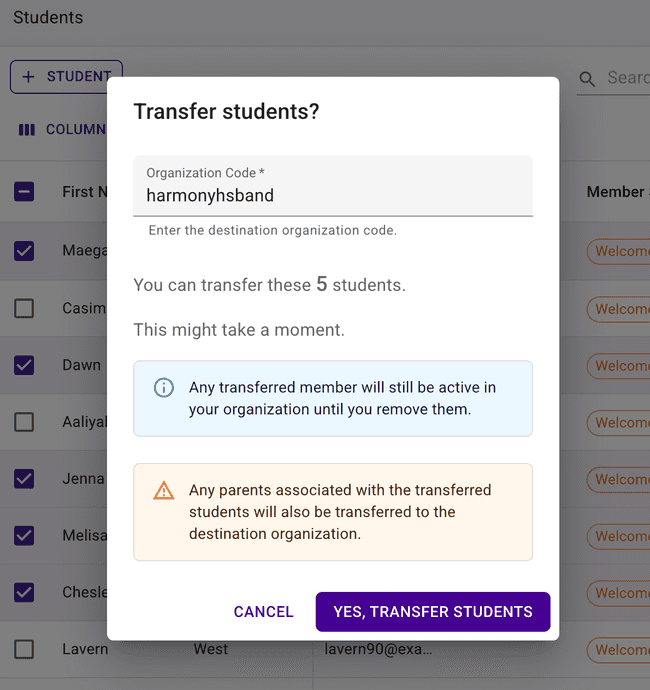
Student Transfers Now Include Inactive Members
The student transfer feature, introduced earlier this year, has been expanded. You can now transfer previous and inactive members to another organization — not just active students. This is great for situations where students need to be moved after their status has already changed.
Get in Touch
We hope these updates power up your back-to-school season! As always, if you have questions or feedback, reach out to Presto Support at support@presto-assistant.com.
Happy teaching!