September-October 2025 Update

Presto Product Team
October 31, 2025
We’ve been having a blast shipping new features! The September-October 2025 update brings Google Sign-In, refunds of payments made via RevTrak, smarter inventory tracking, and a whole lot more. Let’s dig in!
Presto Blog
Follow our monthly blog posts for expert tips and tricks, practical advice, and inspiration from teachers and administrators. We love learning from our contributors and sharing their stories with you. Here’s what we published this fall:
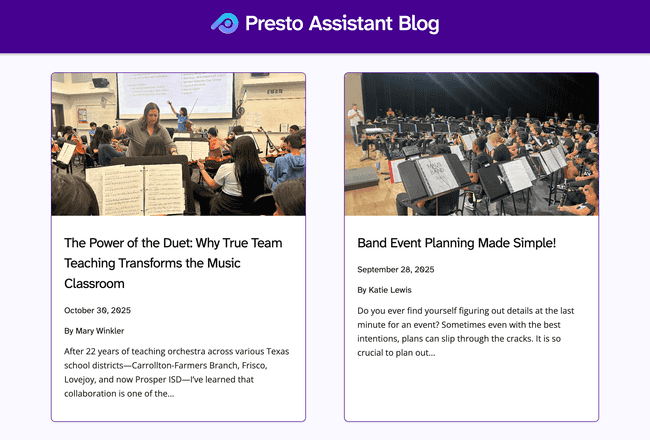
- September 2025 — Band Event Planning Made Simple!
- October 2025 — The Power of the Duet: Why True Team Teaching Transforms the Music Classroom
Want to contribute an article? Get in touch…we’d love to hear from you!
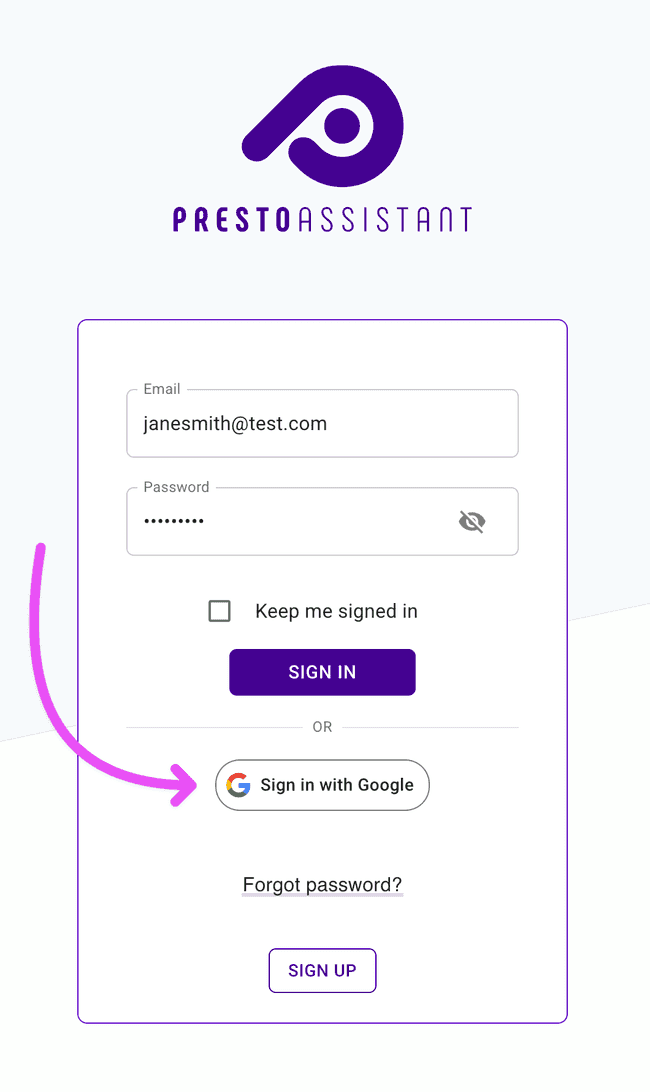
Sign In with Google
Logging in just got faster! Anyone can sign in and sign up using their Google account. Look for the “Sign in with Google” button on the login and signup pages. One tap and you’re in!
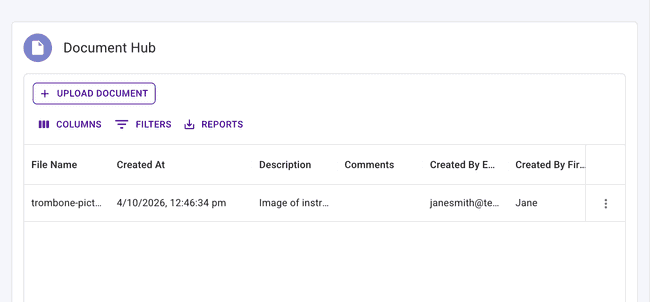
Document Hub for Inventory Items
You can now attach documents directly to an inventory item using the Document Hub. Whether it’s a warranty, a maintenance record, or a purchase receipt, all supporting files can live right alongside the item they belong to.
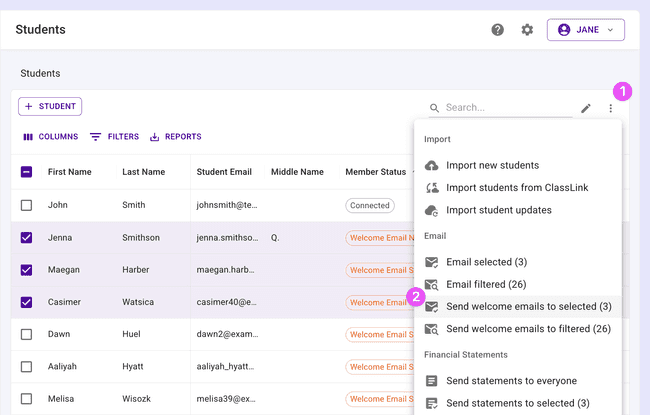
Send Welcome Emails to Selected Members
Welcome emails are now smarter. Instead of blasting everyone at once, you can now send welcome emails to a specific selection of students or parents from the table. Filter, select, and send — it’s that easy.
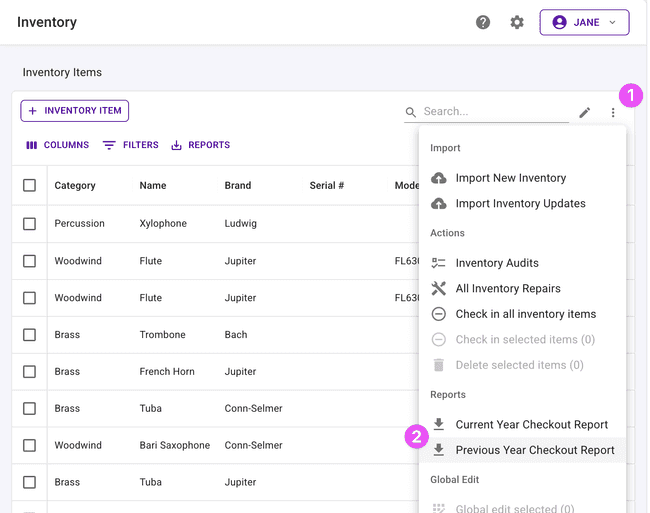
Previous Year Inventory Checkout Report
Need a record of who had which instruments last school year? You can now generate an inventory checkout history report for a previous school year — available for uniforms and general inventory. Perfect for audits, end-of-year reviews, or planning ahead.
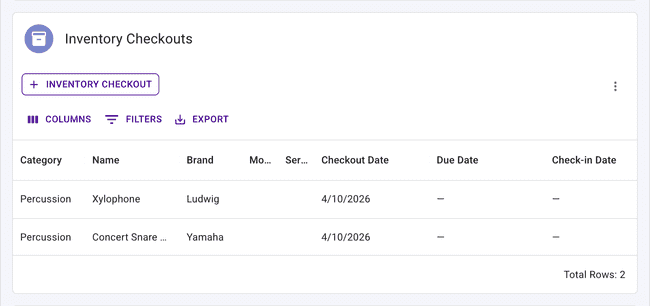
Student Inventory Checkout History
The student detail page now includes an inventory checkout history table, showing all active and past checkouts for that student. You can also reissue items directly from the table. Everything you need to know about a student’s equipment is now in one place.
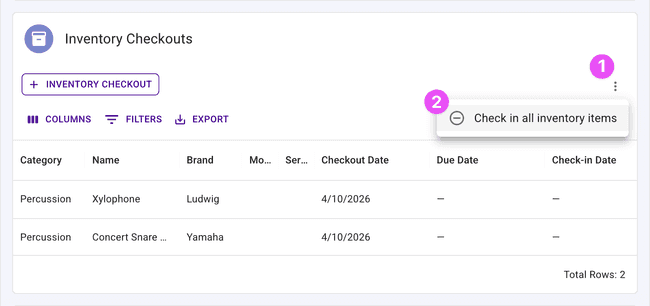
Bonus: you can now Check In All items directly from the student page with one click — no need to check in each item individually.
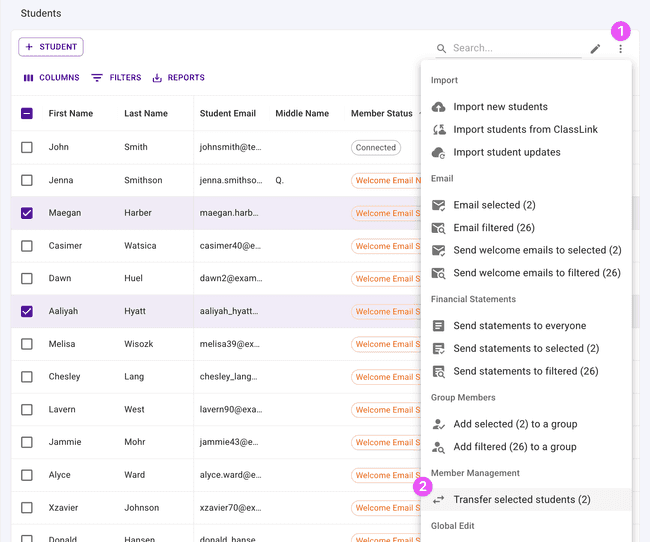
Bulk Transfer Selected Students
The student transfer feature keeps getting better! You can now select multiple students from the table and transfer them all at once to another organization. No more transferring one student at a time — just pick your group and go!
RevTrak Refunds
Organizations using RevTrak as their payment processor can now process refunds directly inside Presto. No need to hop over to the RevTrak portal — just find the payment and issue the refund right from the transaction details page.
Inventory Quantity
Inventory items now include a quantity field throughout the app — on the item detail page, the edit form, and the inventory tables for both organizations and admin portals. This is especially useful for shared items like stands and chairs. For items that are checked out to individual students — like instruments — you’ll still want to use individual inventory records.
Transaction History: Refund & Credit Types
The transaction history table now clearly shows “Refund” and “Credit Application” as distinct payment types, and you can filter by them. No more guessing — it’s easy to find and review exactly the transactions you’re looking for.
Get in Touch
We hope these updates make the fall semester even better! As always, if you have questions or feedback, reach out to Presto Support at support@presto-assistant.com.
Happy teaching!